
hellokojak

One-time · Runs on a schedule · Zero code

Eleven AI employees that work for you on a schedule.

Eleven AI employees and two guides that work while you sleep, review and plan: your mornings, your reports and your inbox, on a schedule, while you get on with your day.

Runs on the AI OS Kit or your own setup. The three clock-driven employees schedule through the Claude desktop app; on ChatGPT every employee runs on a paste.

$197 one time · 14-day money-back guarantee · lifetime updates

The demo

8:00 am, every day.

Nobody opened the laptop. The brief was already written.

The problem that is left

Your AI still does nothing until you ask it.

Even with a second brain, your AI sits there until you open a chat and prompt it. Forget to ask for the brief and there is no brief. Do not paste the week's notes and they never get filed. You are still the engine.

The shift

From an assistant you have to remember to prompt, to a team that does the standing jobs on a clock and hands you the result.

What it feels like

A real week with Your AI Team running in the background.

A conveyor belt carrying a week of work past AI employees who brief, file, review and clean up

Monday · Morning brief

Wednesday · Inbox sorted

Thursday · Report drafted

Friday · Weekly review

8:00 am, while you were asleep

Example

Daily brief

  • 1 client email needs a reply before 10.
  • Report due today. Draft is ready for review.
  • Roaster launch draft: two sections still missing. Flagged.

Scheduled task, ran at 8:00 while you were asleep. Example, no real names.

  • Monday 07:30

    The brief lands before you wake

    Your projects, your deadlines and your open blockers, pulled together before you touch your phone.

  • Wednesday and Thursday

    The inbox runs in the background

    Voice notes, client messages and half-thoughts get read, sorted and filed into the right place.

  • Friday 17:00

    The weekly review runs itself

    What got done, what slipped, what matters on Monday. Written down, not remembered.

  • Sunday 22:00

    The maintenance sweep

    Stale context pruned, duplicates cleaned, the system kept honest before a new week starts.

Your AI Team

Eleven AI employees with real jobs.

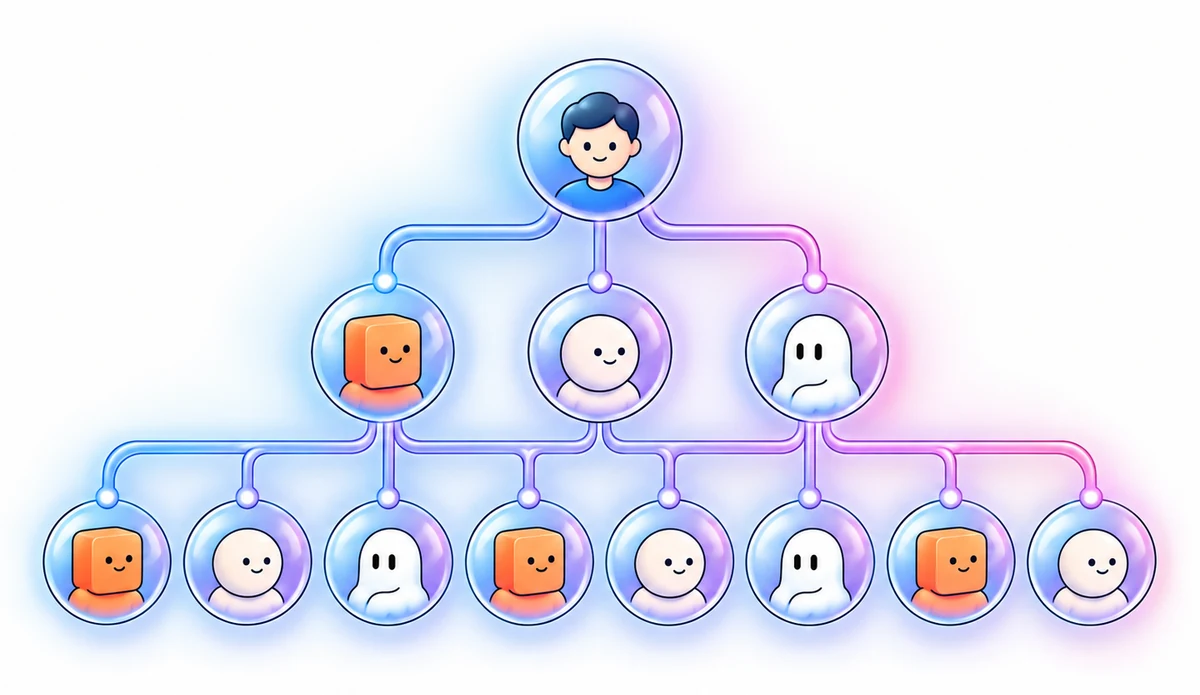
Each employee has a single job and a clear trigger. You paste them into the Claude or ChatGPT app once; in Claude, three of them run on a clock.

You at the top, three manager agents, eight AI employees under them, eleven in total
  • 01

    Morning brief

    Runs while you sleep and pulls together your projects, deadlines and what is due.

  • 02

    Weekly review

    Audits the week, flags what slipped, and primes Monday's queue.

  • 03

    Inbox

    Raw capture, triaged. Voice notes, messages and stray ideas get filed where they belong.

  • 04

    Session memory

    Captures the decisions and context changes at the end of any session, so nothing is lost.

  • 05

    Your reviewer

    A second pair of eyes before you send anything. It looks for the mistake, not for praise.

  • 06

    Interviewer

    Asks the questions that turn a fuzzy thought into a plan you can act on.

  • 07

    Decision reviewer

    The gate in front of decisions that are expensive to undo.

  • 08

    Digest

    Turns a long video, transcript or article into filed notes inside your own structure.

  • 09

    Tool evaluator

    Judges a new AI tool against your real use cases instead of its marketing.

  • 10

    Monthly clean-up

    Prunes stale context, archives what is finished and stops the system bloating.

  • 11

    Advisor

    A thinking partner tuned to your own context files, not a generic pep talk.

Ready in under 15 minutes.

Paste the employee definitions into the Claude desktop app, three of them into its scheduled tasks. On ChatGPT, paste the same employees as prompts. No command line, no Python, no API bills, no webhooks.

Included

Two guides that make it stick.

Portrait cover art for The Automation Cookbook guide
Guide 01

The Automation Cookbook

The scheduled-task recipes: the daily brief, the self-maintenance sweep, backups and the fail-loud patterns that tell you when something stopped running.

  • Step-by-step triggers, including Claude's scheduled tasks for the three that run on a clock
  • The morning brief prompt, with a sample output
  • What to do when a scheduled job silently stops

Portrait cover art for The Multi-Agent Playbook guide
Guide 02

The Multi-Agent Playbook

Two agents, one system, no drift. The pointer-file pattern I run every day so Claude and Codex work the same setup without standing on each other.

  • Clean handoffs between agents
  • Memory guardrails, so one agent cannot overwrite the other
  • What to do when two schedules overlap
A fanned deck of prompt cards

The AI OS Prompt Pack pairs with this

+$17 optional

58 copy-paste prompts for the moments between the scheduled jobs.

Get the AI OS Prompt Pack
The complete team

Your AI Team

Eleven AI employees and two guides, dropped into the system the AI OS Kit sets up.

$197one time · yours forever

  • All 11 AI employees, written and tested, ready to paste in
  • The Automation Cookbook, the scheduled-task recipes
  • The Multi-Agent Playbook, two agents and one system with no drift
  • A morning brief, on a schedule
  • Lifetime updates, and future team members included
  • Instant download through Gumroad

Works on its own with your own files. Drop it on top of the AI OS Kit and the employees get a structured second brain to read and write.

Get Your AI Team · $197

14-day money-back guarantee · instant delivery via Gumroad

Answers

Questions people ask.

Do I need technical skills or terminal experience?

No. No terminal, no Python environments and no API scripts. Each employee is an instruction file you paste in once. In the Claude desktop app, three of them run on its scheduled tasks; on ChatGPT they run as paste blocks when you call them, without the schedules. If you can paste text into a setting, you can install the whole team.

What tools do I need?

The Claude desktop app on Mac or Windows. It sits on top of your own files, on your own computer. No third-party subscription bridges.

Does this work without The AI OS Kit?

Yes. The employees read and write real files, so they need something to work on: your own folders as they are, or the AI OS Kit if you want a structured second brain built for them.

How is each employee actually delivered?

Each employee is an instruction file plus a schedule, what Claude itself calls a skill. No code, no separate app, no login. You paste it in once and it runs itself from then on. Behind the scenes they are named literally: daily-brief, weekly-review, inbox, brain-sync, qa-check, interviewer, decision-gate, digest, tool-check, monthly-sweep, advisor. You never need to know that to use them.

What is your refund policy?

14-day money-back guarantee. Install Your AI Team, let it run, and if your AI is not handling real work on a schedule, email me inside 14 days for a full refund.

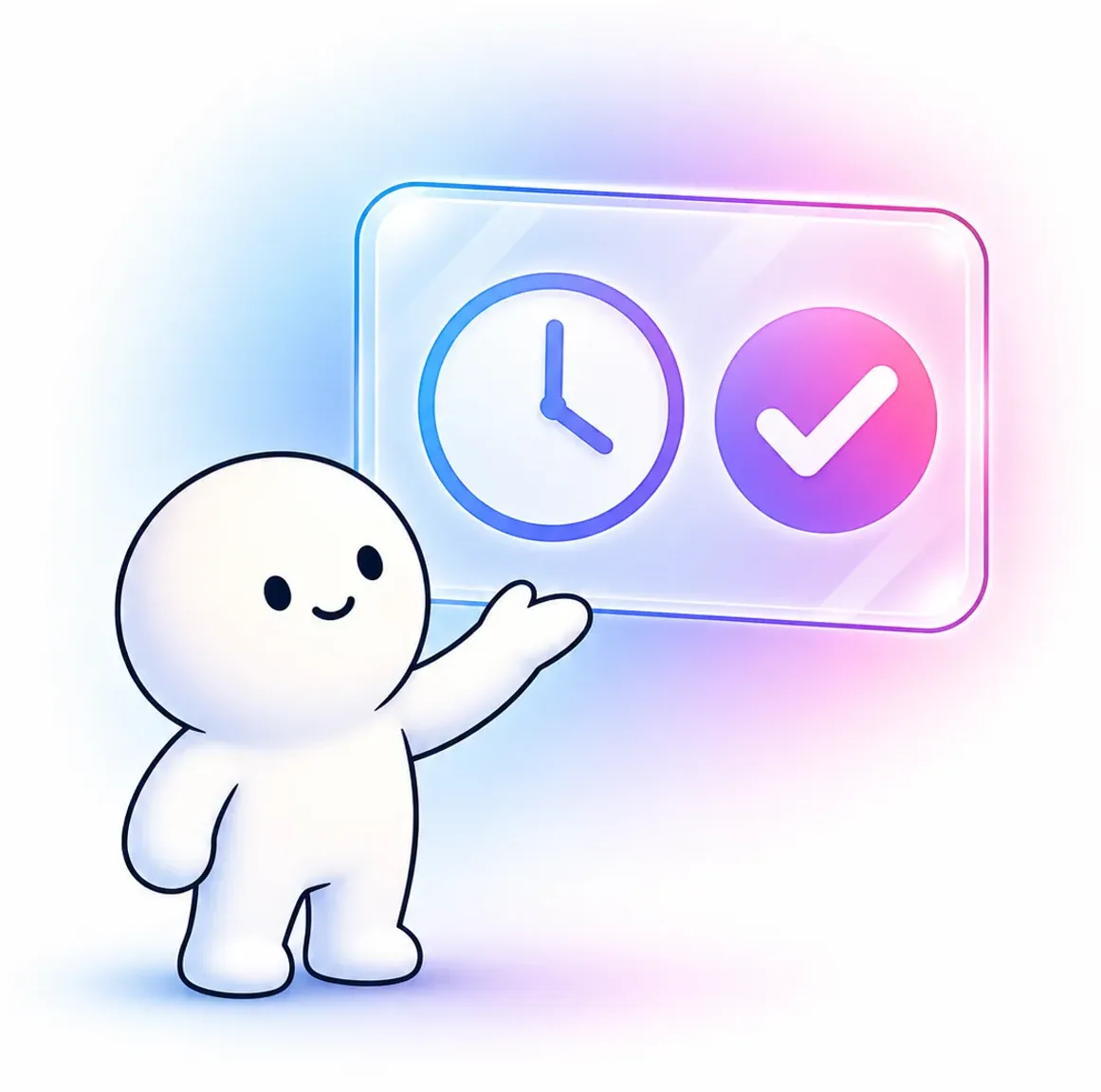
A friendly agent beside a clock panel with a green tick
"The biggest lie in AI right now is that you need complicated frameworks running in containers to automate your day. You do not. You need disciplined instructions running on a clock."

Kojak, who runs exactly this every working day

Ready to put your AI on a schedule?

Stop being the starter motor. Let eleven AI employees run the briefs, the reviews and the filing.

Get Your AI Team · $197

14-day money-back guarantee · lifetime updates